
Are you data-ready?
Most teams are closer to useful predictions than they think. If you already run on an accounting system, ERP, or CRM, use the scorecard below, then book a demo or start free and test it yourself.
Last updated · Published
The data readiness scorecard
Four checks show whether your data is ready for predictive AI. Mark each that is already true for your team. Clear all four and you are ready to train.
0/4
Cleared
Deployment gate
Clear each gate that is true for you.
Tap Mark yes on every check that already fits. The ring fills as you clear the scorecard.
01
SOURCE
Trusted source
Does the data live in a system your team already relies on?
Ready looks like: Customer, order, or invoice history in QuickBooks, Xero, NetSuite, HubSpot, Salesforce, Shopify, Stripe, and more.
02
LABEL
Known outcomes
Do you know what happened in the past: who churned, which deals closed, what got paid?
Ready looks like: A column you could add to a spreadsheet today: churned yes/no, paid on time yes/no.
03
HISTORY
Enough history
Do you have a few hundred past cases with the outcome recorded?
Ready looks like: A few hundred rows gets you a first model. A year of closed deals, a few thousand customer records, or a year of orders is comfortable.
04
ACTION
A team that can act
If you knew who was at risk tomorrow, is there someone who would pick up the phone?
Ready looks like: A retention owner, a sales team, a collections process. Predictions only pay off when used.
Already Use One of These? You Are Closer Than You Think
The hardest part of predictive AI is trustworthy historical data, and yours already lives in the accounting, ERP, CRM, and operations tools your team relies on every day. Export a CSV, bring it through Claude, or upload it directly. If your history lives in any of the systems below, you have what a model needs to start learning today.
Trusted by teams on


Airtable · Operations
Operational bottlenecks from your own workflow history
No direct integration required. Any CSV or spreadsheet with labeled history can train a custom model on your use case.
What is a label?
A label is the outcome you want the model to predict. Your training data must include it for every row so the model can learn which patterns lead to which outcomes.
Mark the answer you already know
In a churn model that column is who left. In lead scoring it is who closed. Features describe the customer; the label is the result.
churned · closed_won · paid_late · units_sold
training_export.csv
Label = known outcome
| Account | Tenure | Tickets | Usage | Churned? |
|---|---|---|---|---|
| Acme Co | 18 mo | 2 | ↓ 34% | Churned |
| Northwind | 41 mo | 0 | ↑ 12% | Retained |
| Brightline | 9 mo | 5 | ↓ 61% | Churned |
| Cobalt LLC | 27 mo | 1 | → 3% | Retained |
Features describe the past. The label is the answer you already know.
What that label becomes
Once the model learns from labeled history, new rows get a ranked risk or probability list your team can act on, without needing a data science hire to interpret the spreadsheet.
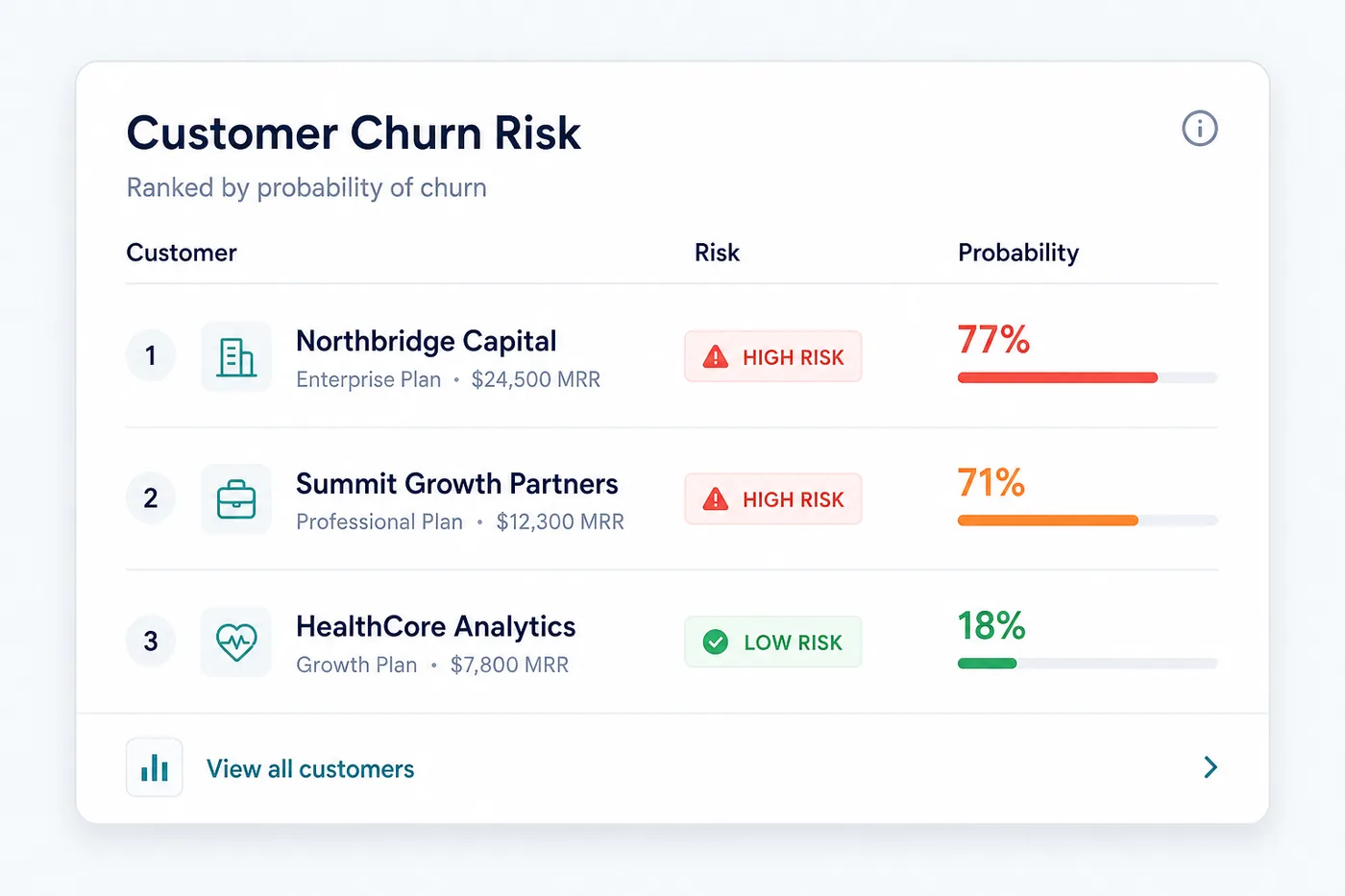
How much historical data do you need to predict churn?
Less than people expect. Models do best with a few thousand rows, and a few hundred customers with the outcome recorded is enough to start: GreenifyAI trained on 928 labeled listings and scored 19,484. What matters more than the count is that both outcomes appear often enough to learn from, and the model report tells you whether your rows were enough before you rely on it. Each row records what you knew about a customer on an as-of date and whether they churned within your prediction window, for example 90 days.
More helps, but past a few thousand rows the quality of the label and the timing of the features matter more than the count. Our worked example on the IBM Telco Customer Churn dataset trains on 7,043 customers, 1,869 of whom churned, and our comparison of churn prediction tools shows how to judge the result.
How EasyDeploy AI handles smaller datasets
It trains the same way and then tells you what it found. Every run searches thousands of candidate pipelines on your rows and returns a report with cross-validated performance, the features that drove the predictions, and how many of the outcome it actually caught. On a thin dataset that report comes back weak rather than confidently wrong, which is the signal to add history or fix the label. There is no fixed cutoff, and nothing is estimated from other companies’ data: a model is only ever trained on your rows. The free tier includes five training runs and 100,000 predictions with no card, so the cheapest way to find out what your data can do is to run it.
Data best practices
Six habits that keep models honest in testing and useful in production.
Define a clear label
Each row in your dataset needs a label, the outcome you already know from the past. This is what the model learns to predict.
Use time-bound features
Only include data that would have been available at the time of prediction. For example, usage over the last 7, 30, or 90 days.
Avoid data leakage
Do not include fields that contain information from after the prediction date. A model trained on leaked data will score well in testing but fail in production.
Match training and production
The features you train on must be available in the same format when the model runs in production. Keep calculations repeatable.
Keep history consistent
All records should be aligned to the same reference date so the model learns from comparable time windows across every row.
Prioritize clean signals
A few strong columns are better than many weak ones. Remove noisy or redundant fields that do not contribute to the outcome.
Every feature must come from information available before the prediction date.
If the model trains on data from the future, it will look accurate in testing and fail when deployed. Use features you can calculate the same way in production: trailing averages, usage counts over the last 30 or 90 days, or values as of the prediction date.
Prediction date is the cut line
Safe to train on
Available before you score
Usage last 30d
Trailing window
Tickets last 90d
As of prediction
Tenure months
Known today
SCORE NOW
Leakage: leave out
Only exists after the event
Cancel reason
Known after churn
Final invoice paid
Future outcome
Win-back offer
Post-event action
Frequently asked questions
What makes a dataset ready to train a predictive model?
Four things: the history lives in a system you already trust, you know what happened in each past case, you have enough of those cases, and someone on your team would act on the answer. The scorecard on this page walks through each one. Most teams running an accounting system, ERP or CRM already clear all four without changing anything.
What is a label, and how do I choose one?
A label is the outcome you already know, recorded as a column on every row. In a churn model it is who left, in lead scoring it is which deals closed, in collections it is which invoices paid late. Pick the outcome your team would act on, and make sure it is filled in for the historical rows you plan to train on.
What is data leakage, and how do I avoid it?
Leakage is including a field that only became known after the outcome you are predicting. A cancellation date in a churn model is the classic case: the model scores almost perfectly in testing and then fails in production, because that column does not exist yet at the moment you need the prediction. Include only what would have been available when the prediction is made.
Can I train on a CSV export, or do I need a database connection?
A CSV is enough. EasyDeploy AI reads an export from QuickBooks, Xero, NetSuite, HubSpot, Salesforce, Shopify or any system that can produce one, so there is no integration to build before you find out whether a model works on your data. A live connection is worth adding once a model is running on a schedule, not before.
What if some rows have missing values or messy columns?
Some missing values are normal and the training run handles them. What matters more is that each column means the same thing on every row and is calculated the same way each time you refresh the data. A few strong, consistent columns beat many noisy ones, so drop the fields that do not relate to the outcome rather than trying to fill every gap.
Do all my rows need to cover the same time period?
As far as possible, yes. Every record should be aligned to the same reference point so the model compares like with like: activity in the 30 days before the outcome, not 30 days for one customer and a year for another. Inconsistent windows are one of the most common reasons a model that looked fine in testing does not hold up in production.
Explore more
See these principles on a real dataset, or learn how the platform searches for models.
Cleared the scorecard?
Book a demo and we will map your data to your first model together. Still exploring? Start free. The platform validates your label and feature setup before training begins.