
Run EasyDeploy from your AI assistant
Upload data, train a model, read its report and score records without leaving the chat. EasyDeploy speaks the Model Context Protocol, so Claude, Claude Code, Cursor, VS Code and anything else that supports MCP can drive the whole lifecycle.
Last updated · Published
https://mcp.easydeploy.ai/mcpSee it run
A dataset uploaded, a model trained and predictions returned, entirely from a conversation.
What the connector can do
24 tools, published as a machine-readable catalog. They run against the same backend, the same quotas and the same keys as the REST API, so an agent and a service can share one account without surprising each other.
Projects and datasets
Create a project, upload a CSV and register it as a dataset version. The upload is a pre-authorised transfer the client runs directly, so the file never passes through the conversation.
Models and training
Bind a dataset version and a target column to a model version, start a training job, then poll it or block until it finishes. Typical runs take two to three minutes.
Reports
Read the model report: metrics, the winning pipeline, feature analysis and a plain assessment of whether it is ready to use.
Predictions
Score a single record inline, or a whole dataset version as a batch and collect the results from a download link when it completes.
Account
Check your tier, your remaining training credits and your prediction usage before spending them.
Sign in with your browser
The client sends you to EasyDeploy in a browser, you approve it once, and it gets a token scoped to your account. There is no key to copy or to keep safe. Claude is the client that can do this today.
Claude
claude.ai and Claude Desktop
Claude
claude.ai and Claude Desktop- Open Claude in the browser (claude.ai) or open the Claude Desktop app.
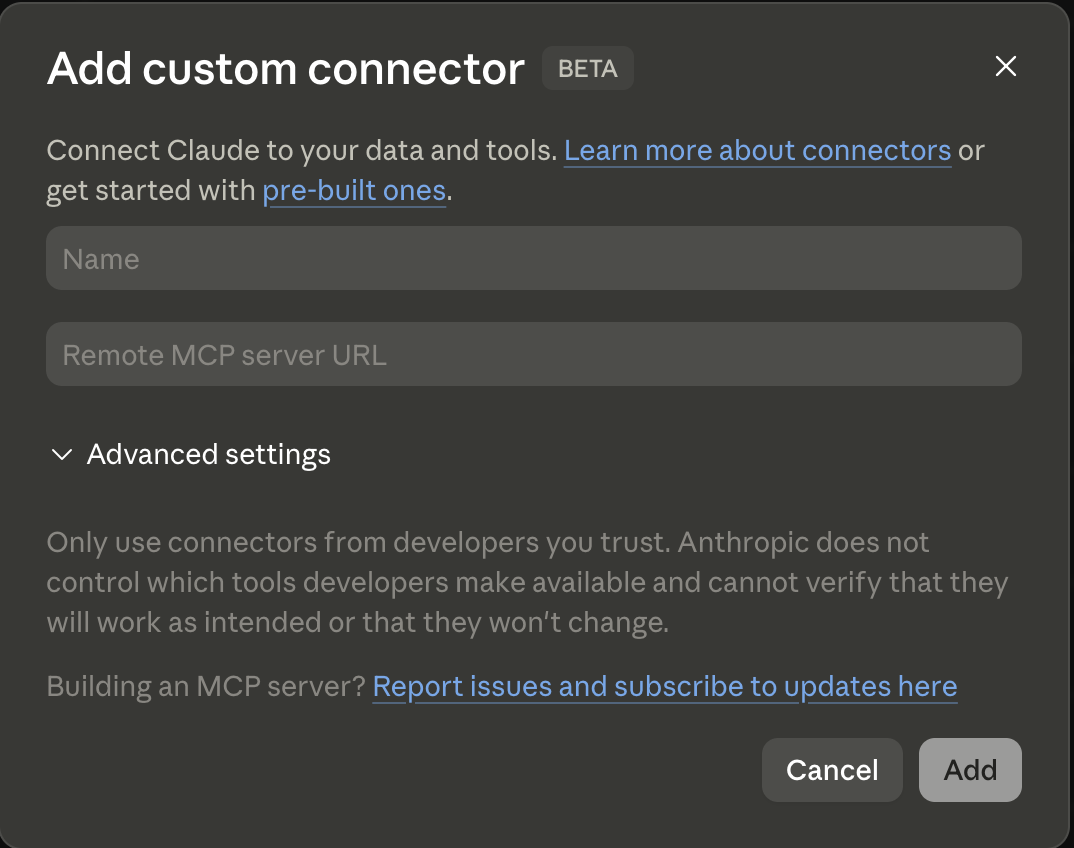
- Open Settings, then Connectors, and choose Add custom connector.
- Enter exactly:
- Name:
EasyDeploy AI - Remote MCP server URL:
https://mcp.easydeploy.ai/mcp
- Name:
- Save the connector so EasyDeploy appears in your list of connectors.
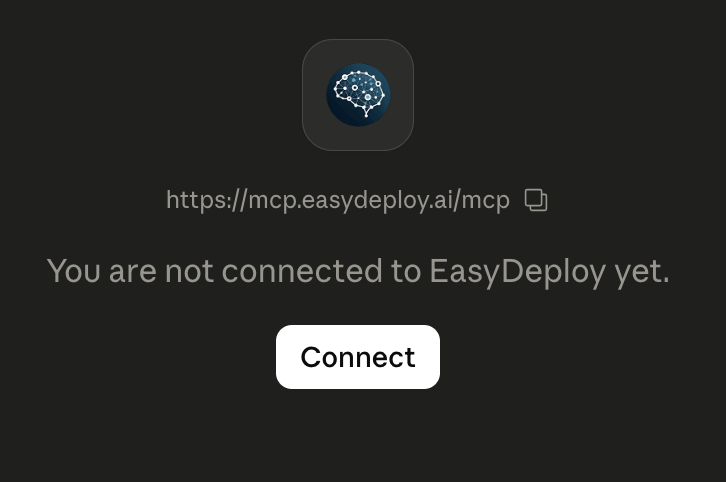
- Open the EasyDeploy connector entry and choose Connect, then finish sign-in in your browser. That step authorizes Claude to use your EasyDeploy account.
Claude Desktop: allow network egress
Needed before file uploads and some tool calls work on Desktop
Claude Desktop: allow network egress
Needed before file uploads and some tool calls work on DesktopFile uploads and some tool calls reach EasyDeploy over the network. On Desktop, Claude blocks outbound traffic unless you explicitly allow the domains it should call.
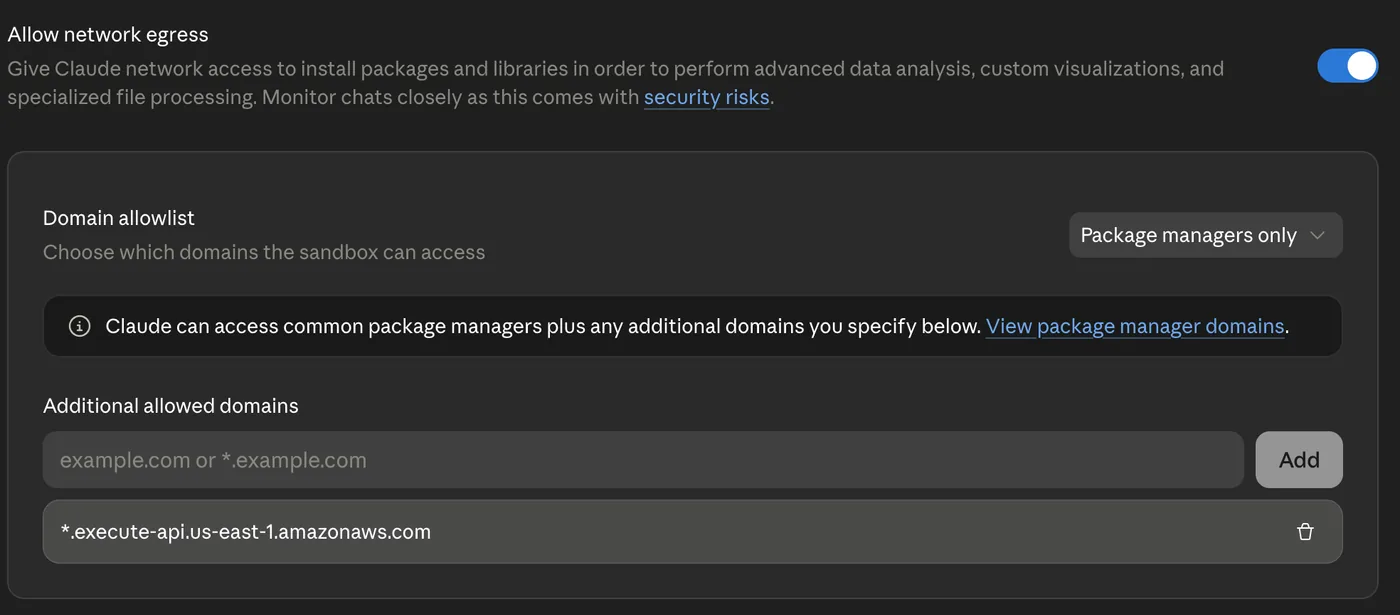
- Open Settings, then Capabilities.
- Turn on Allow network egress.
- Under the domain allowlist, add this entry exactly (including the leading
*.):*.execute-api.us-east-1.amazonaws.com
Claude skills
Optional bundles that work alongside the connector
Claude skills
Optional bundles that work alongside the connectorEach download is a .skill file you upload once in Claude. They are specific to Claude, and the connector works without them.
Data preparation playbook
A detailed data preparation playbook: cleaning tabular data, EDA, leakage checks, and label files ready for EasyDeploy AutoML training. Use with the MCP connector for projects, uploads, training, and predictions.
Download easydeploy.skillInvoice collection scoring
ML-powered accounts-receivable scoring: collection probability per open invoice, a rescue-first call list, cash flow forecast charts (base, naive, and ML scenarios), and an AR Intelligence dashboard. Requires QuickBooks and the EasyDeploy MCP connector.
Download easydeploy-invoice-score.skillAdd the skill in Claude
- Open Customize.
- Open Skills.
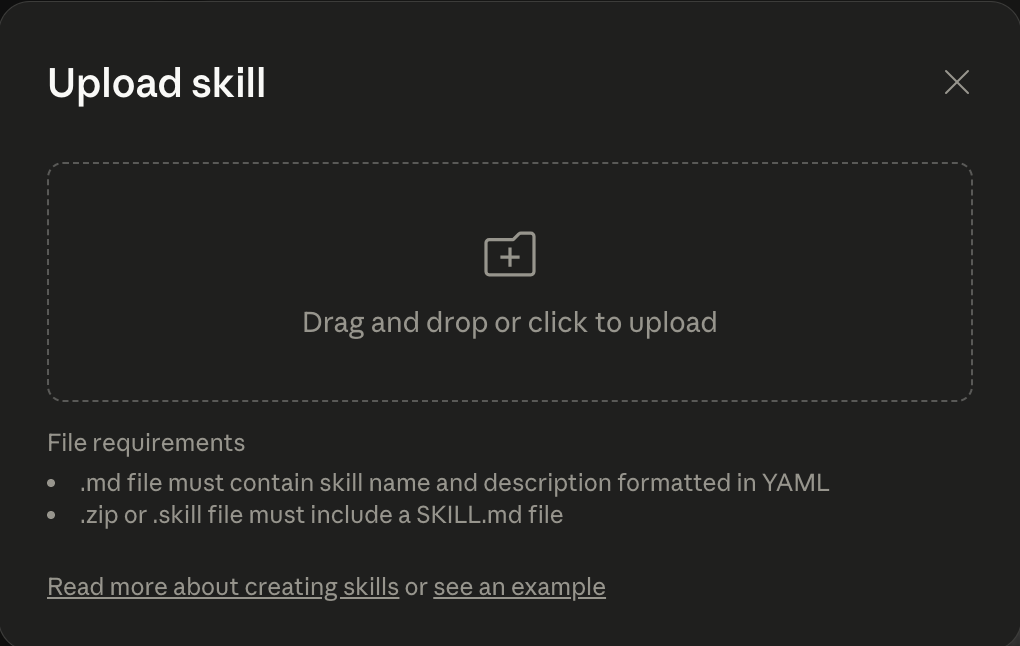
- Choose + Create Skill, then Upload a skill.
- Upload the
.skillfile you downloaded (drag and drop or browse). Repeat for each bundle you want. Each file must includeSKILL.mdinside the bundle; ours do.
Connect with an API key
Every other client sends the key as a bearer token in the Authorization header, exactly as it would to the REST API. Create one under Account, then API Keys. It is also the right choice for anything running unattended.
Claude Code
One command in your terminal
Claude Code
One command in your terminalOne command, with an API key in a header.
claude mcp add --transport http easydeploy https://mcp.easydeploy.ai/mcp \
--header "Authorization: Bearer eda_live_your_key_here"Cursor
~/.cursor/mcp.json
Cursor
~/.cursor/mcp.jsonAdd the server to ~/.cursor/mcp.json. Keep the key in your environment rather than in the file.
{
  "mcpServers": {
    "easydeploy-ai": {
      "url": "https://mcp.easydeploy.ai/mcp",
      "headers": { "Authorization": "Bearer ${env:EDA_API_KEY}" }
    }
  }
}VS Code
.vscode/mcp.json
VS Code
.vscode/mcp.jsonAdd the server to .vscode/mcp.json. VS Code prompts for the key the first time and stores it for you.
{
  "inputs": [
    {
      "id": "eda-key",
      "type": "promptString",
      "description": "EasyDeploy API key",
      "password": true
    }
  ],
  "servers": {
    "easydeploy-ai": {
      "type": "http",
      "url": "https://mcp.easydeploy.ai/mcp",
      "headers": { "Authorization": "Bearer ${input:eda-key}" }
    }
  }
}Put this in .vscode/mcp.json. A workspace .mcp.json drops the headers without saying so.
ChatGPT
Settings, then Connectors
ChatGPT
Settings, then ConnectorsOpen Settings, then Connectors, then Add custom connector. Paste the server URL, choose API key authentication and paste your EasyDeploy key.
Browser sign-in from ChatGPT is not available yet. Use an API key.
Any MCP client
curl, an SDK, or npx mcp-remote
Any MCP client
curl, an SDK, or npx mcp-remotePoint any client or SDK at the same URL over streamable HTTP and send your key as a bearer token. To check a key without a client, ask the server for its tool list.
curl -sS https://mcp.easydeploy.ai/mcp \
  -H "Authorization: Bearer eda_live_your_key_here" \
  -H "Content-Type: application/json" \
  -H "Accept: application/json, text/event-stream" \
-d '{"jsonrpc":"2.0","id":1,"method":"tools/list"}'A client that only speaks the older stdio transport can bridge with npx mcp-remote and the same header.
Open source MCP server
Read the code, self-host it, or open a pull request. The server is the same one this page documents.
github.com/EasyDeploy-AI/easydeploy-ai-mcpConnect it to your account
Start free and create a key, or book a demo and we will map your data to your first model together.