Claude can read your business data and reason about it, but it is the wrong machine for predicting at scale. Connect it to a trained model over MCP and it builds, tests and runs one for you, from one chat.
TL;DR
Claude is a great driver for your business data. To predict from it, give Claude an engine: a model trained on your history.
Claude can drive. Predictions need an engine.
1
Claude, the driver
Steers: pulls the data, cleans it, checks the result.
2
A trained model, the engine
Learns your history once, then predicts in under a second.
3
Your data, the fuel
Invoices, deals, customers: history where you know how it ended.
Claude can read every row and reason about it. Asking it to predict means re-reading everything for every answer, and the answer can change.
A trained model learns your history once, then scores a new record in under a second, the same way every time.
Connect one to Claude in about two minutes. Claude then prepares the data, trains, tests and predicts from one chat.
Where I am coming from
We make EasyDeploy AI, the engine in this picture. This guide uses Claude, but nothing in it is specific to Claude: every step works the same in ChatGPT, Gemini, Copilot or any assistant that supports MCP connectors. The connector is open source.
Connecting Claude to your business data takes an afternoon. Once it is in, Claude will read every invoice, spot the customer who stopped ordering and explain why revenue dipped in March. Then you ask which open invoices will be paid late, and it reads all two years again to give you an educated guess. Ask tomorrow and it reads them all again. That is a driver with no engine, pushing the car.
Why Claude is the wrong machine for predicting
Claude learns from your data the way a sharp analyst does: within the conversation, by reading it. That is exactly right for questions you ask once. Predictions are different. You want the same answer for the same invoice every time, a score you can check against what actually happened, and the next thousand invoices scored without anyone opening a chat.
A model trained on a table does that. It studies the history once, keeps what it learned, and scores a new record in under a second. Claude can even fit one in its code sandbox, which is a good way to explore, but that model is gone when the chat ends.
Three ways to get a prediction out of Claude
The sandbox is a good place to explore. The connector is how the model keeps working after the chat ends.
Approach
What you get
Lasts past the chat
Scores new records
Paste the rows in and ask
An educated guess that can change each time
No
Paste them in again
Claude fits a model in its code sandbox
A real model, if the file fits
No
No
Connect a model-training service over MCP
A trained, tested model with a report
Yes, in your account
Yes, one at a time or in batches
“
Claude reads your data every time you ask. A model reads it once.
Give Claude a model to drive
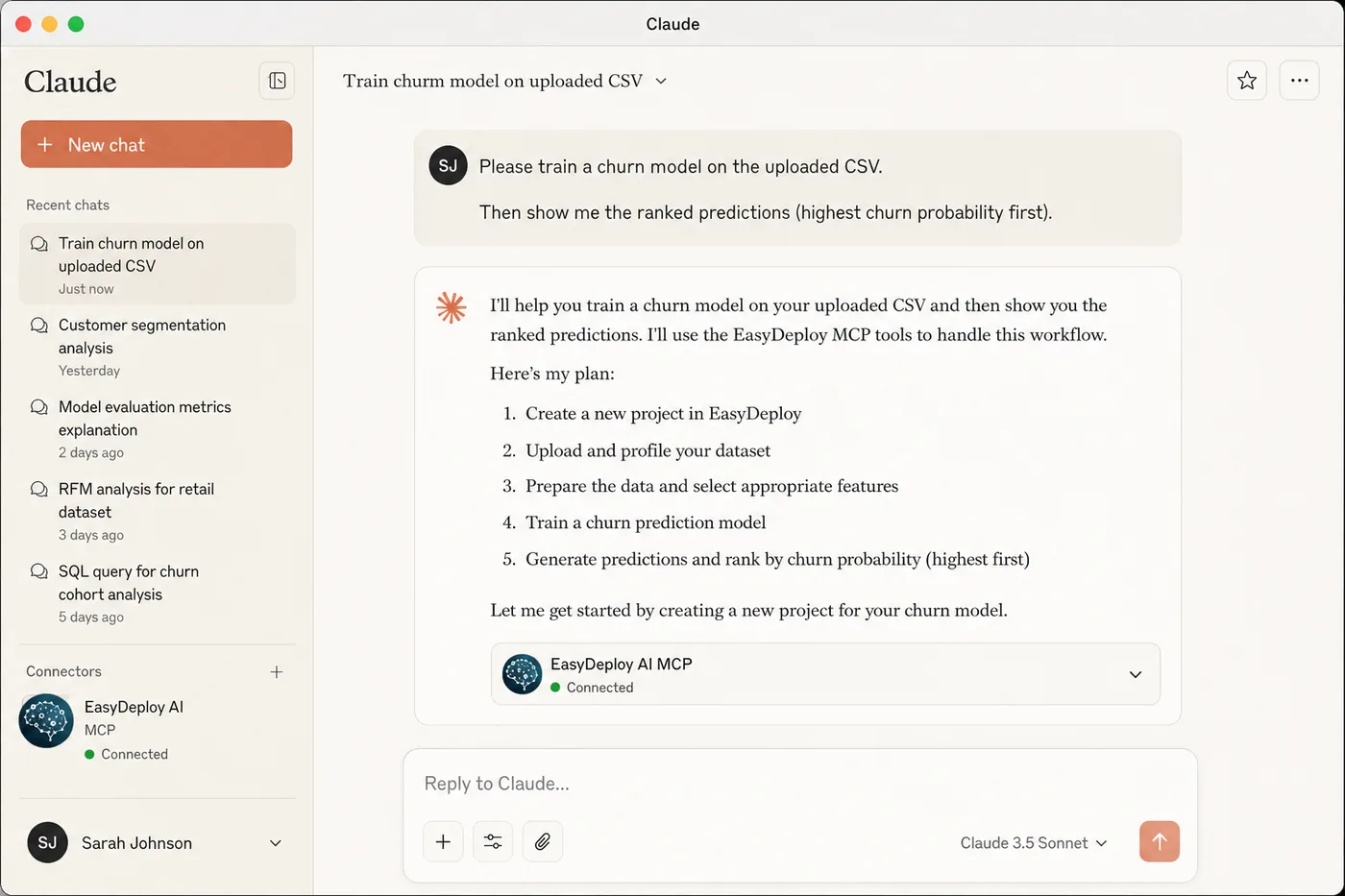
The Model Context Protocol is how Claude plugs into outside tools. Plug in a model-training service and Claude stays at the wheel: it pulls the data, cleans it, checks for mistakes and reads the result to you. The service is the engine that trains, stores and runs the model. You choose where to go and approve any change to your data.
Claude already connects to QuickBooks, HubSpot, Stripe, Google Drive and plenty more, so the engine does not need its own integration with each one. Here is the drive for one question, using your QuickBooks history. There is a ready-made QuickBooks scoring skill for it, too.
“Which of my open invoices will be paid late?”
Claude at the wheel, your QuickBooks history in the tank.
1
Read the map
The first tool call fetches the current rules for preparing a training file.
2
Fill the tank
Claude pulls two years of paid invoices and labels each one late or on time. It asks before changing anything.
3
Check for leaks
It drops anything not known on the day the invoice went out, such as the payment date.
4
Keep a test track
It sets aside a test file before training, so the model is graded on invoices it never saw.
5
Start the engine
The file goes straight to the training service, not through the chat. Training takes a few minutes.
6
Test drive
Claude scores the test file, works out the metrics itself and tells you plainly whether the model is good enough.
Arrive: a ranked call list
Claude scores your open invoices, riskiest first. The model stays in your account, so next week it scores next week's invoices without starting over.
Every stop is a tool call you can watch in the chat.
The last stop is the one the other approaches never reach. The model stays in your account, so a single record can be scored from a form, a script or next week's chat. We timed one at 0.69 seconds through the API.
Connect it in two minutes
In Claude, open Settings, then Connectors, and choose Add custom connector.
Choose Connect and sign in to EasyDeploy in your browser. No key to copy.
On Claude Desktop, allow network egress to the one API host listed on the setup page, so file uploads work.
Start a new chat and ask your question.
In ChatGPT, Claude Code, Cursor, VS Code or another MCP client, the setup page has the exact config. The free tier includes five training runs and 100,000 predictions, with no credit card.
What to watch for
Leakage. A column filled in after the outcome, such as a payment date or a close reason, makes a model look perfect in testing and useless in practice. Claude checks for it, but you know your data best. Ask it which columns it dropped and why.
Enough history. A few hundred rows with known outcomes is a start, and both outcomes need to be well represented. The readiness guide tells you in a few minutes.
So yes, connect Claude to your business data. Then give it an engine.
Frequently asked questions
Can I connect Claude to my business data to train models and run predictions?
Yes. Connect Claude to a model-training service through the Model Context Protocol. Claude prepares your data, sends it for training, tests the resulting model on rows it never saw, and scores new records. The model is trained on your history and stays in your account, so it keeps scoring after the chat ends.
Within a conversation, yes: Claude reads your data and reasons about it, which is ideal for one-off questions. It does not keep what it learned for the next chat, and fine-tuning a language model changes how it writes rather than teaching it to predict an outcome such as churn or late payment. For repeatable predictions, train a separate model on your history and let Claude run it.
Why not just paste my data into Claude and ask for predictions?
Claude will give you a reasoned guess, but it re-reads the data for every answer, the guess can change each time you ask, and nothing is left the next day. A trained model gives the same answer for the same record, comes with test results you can check, and scores thousands of new records in seconds without a chat.
Does this work with ChatGPT, Gemini or Copilot as well?
Yes. The EasyDeploy server speaks MCP over streamable HTTP, so it works in any client that supports remote MCP servers, including Claude, Claude Code, ChatGPT, Cursor and VS Code. Setup for each is on the connector page.
The upload does not. Claude requests a pre-authorised upload and the client sends the file straight to the training service, so the file is never pasted into a tool call. Claude still reads your data while preparing it, the same as for any analysis you ask it to do.
What kinds of predictions can I build this way?
Anything with a yes or no, a category or a number you already know for past records: customer churn, lead conversion, whether a deal will close, late payment on an invoice, demand next week, or a cash flow figure. The rule is that you need history where the outcome is already recorded.