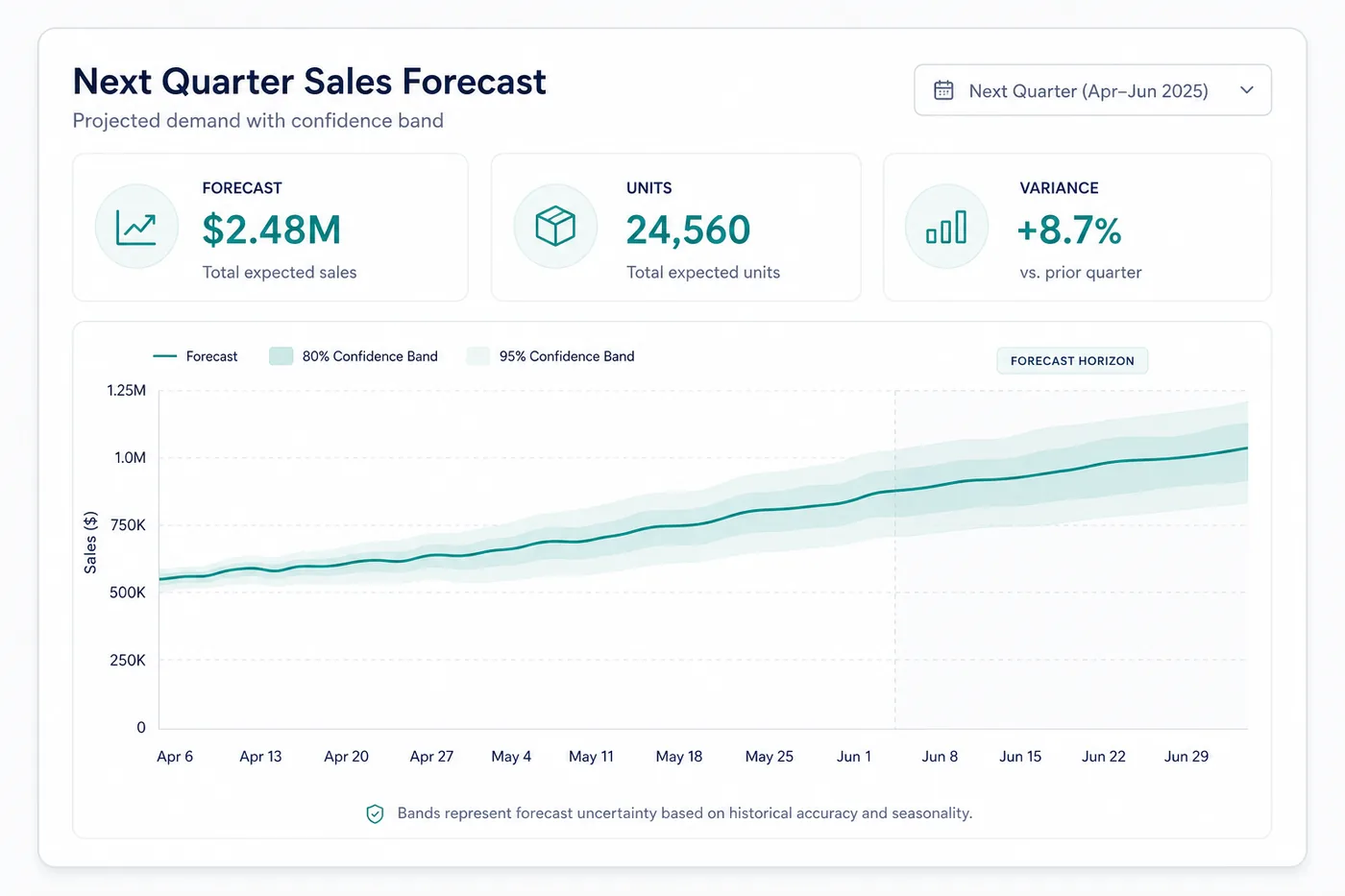
Connect QuickBooks or Shopify to the AI assistant you already use and ask for a forecast. It trains a model on your order history, tests it against "same as last month", and tells you what to reorder.
TL;DR
Retailers lose $1.7 trillion a year to stock that is missing or sitting unsold. The forecast that prevents it is already in your QuickBooks or Shopify, and your AI assistant can build it.
Connect QuickBooks or Shopify to Claude, ChatGPT or Gemini, then ask for the forecast. No export needed.
The assistant reshapes your orders, trains a model on them with a service such as EasyDeploy AI, and tests it on weeks it never saw.
Act on it only if it beats "same as last month". That one comparison is the whole test.
Where I am coming from
We make EasyDeploy AI, the model-training connector in this guide. The checks below matter more than the tool.
Most small businesses forecast demand by looking at last month and adding a hunch. The history to do better is already in QuickBooks or Shopify. Connect it to your AI assistant and ask. The assistant builds the forecast, tests it against your hunch on weeks it never saw, and tells you whether to trust it.
Why is "same as last month" not good enough?
Because a wrong guess costs you both ways. IHL Group estimates retailers lose $1.7 trillion a year to it: stock missing when customers want it, and stock sitting unsold when they do not. Last month also misses what you already know about this one, such as a holiday, a price change or a promotion. A model reads those as columns and learns what each did to past sales.
Can QuickBooks forecast demand on its own?
Not per product. QuickBooks Online Advanced has Forecasts, but they project your income, cost of sales and expenses from your profit and loss history, not units of each product. For a demand forecast you have four options:
Option
What it forecasts
Best when
QuickBooks Forecasts
Revenue and expenses, month by month
You need a budget, not a reorder list
A reorder-point spreadsheet
Average daily sales per product
A few products with steady sales
An inventory planning add-on, such as GMDH Streamline or Inventory Optimizer
Units per product, synced with QuickBooks
You want replenishment run inside a dedicated tool
A model trained on your history, such as EasyDeploy AI
Units per product per week, from your own sales and calendar
You want to own the model and run it from your AI assistant
How do you connect QuickBooks or Shopify to Claude?
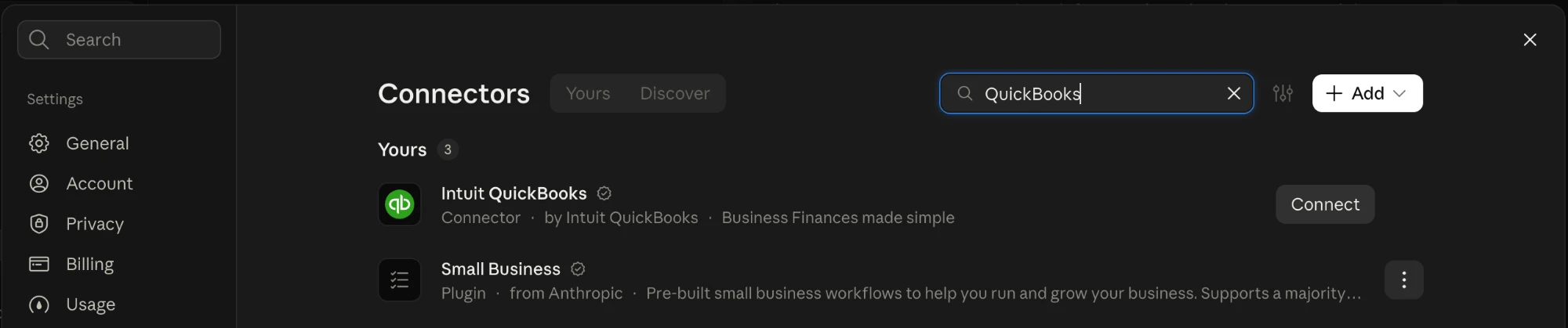
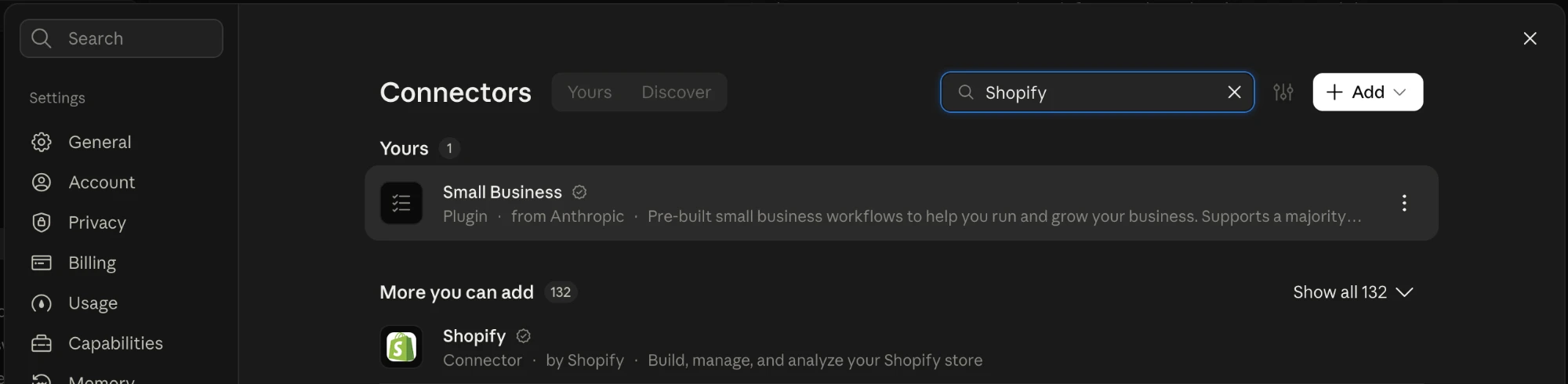
Open Settings, then Connectors, search for the system you use and press Connect. You sign in once, and the assistant can read your sales history whenever you ask. ChatGPT, Gemini and Copilot work the same way.
Search for QuickBooks and press Connect.Shopify is in the same list, under More you can add.
You ask in plain words. Behind the answer is a short run of tool calls, each one something you could do by hand:
“Forecast each product’s demand for the next 4 weeks and tell me what to reorder.”
1Read sales
Connectors
QuickBooks and Shopify connectors read two years of sales by product.
2Reshape
Claude
One row per product per week. Units over the next 4 weeks are the target.
3Split by date
Claude
The latest weeks are held back, unseen, for testing.
4Train
EasyDeploy AI
A model learns from the older weeks.
5Beat last month
Claude
Accuracy on test weeks
Model
Same as last month
Ready to deploy
On the test weeks the model is more accurate than “same as last month”, so it is ready to deploy.
6Reorder list
Claude
REORDER
REORDER
OK
The 4-week forecast against stock on hand, biggest gaps first.
It asks before dropping a column or changing a value, so you always know what went into the model.
How do you know the forecast beats a guess?
The test weeks must come after the training weeks. A random split lets the model peek at the weeks next to the ones it is graded on, and the score looks better than the forecast is. So the assistant holds back your latest eight to twelve weeks and trains on everything before.
Then it compares two numbers on those weeks: how many units the model missed by on average, and how many "same as last month" missed by. If the model is not clearly ahead, do not use it. The churn example shows the same kind of check catching a model that only looked better.
Does it work on real order history?
We ran it on the public Online Retail II dataset, two years of orders from a UK online giftware shop. On EasyDeploy AI, a model forecast each of 1,088 products' next 4 weeks 52.7% accurately, against 47.0% for repeating last month, and won all 9 test windows in the run-up to Christmas 2011.
The first attempt, predicting a single week from raw units, only tied last month. Forecasting the 4 weeks a reorder covers, on a log scale so one wholesale order stops dominating, is what pulled it ahead. See the full worked example.
How do you turn the forecast into a reorder quantity?
Use the standard reorder point, with the forecast in place of an average:
Reorder point = forecast units per day × supplier lead time in days + safety stock.
Safety stock covers the forecast's typical miss on the test weeks, so a less accurate product carries more.
Reorder any product whose stock on hand is below its reorder point. The assistant sorts those to the top.
An average of past sales treats a holiday week like any other. The forecast already knows it is coming.
What data do you need to forecast demand accurately?
A year of sales by product and week at minimum. Two years is better: the model sees every season twice and can tell a seasonal peak from growth. The assistant builds these columns from your orders. The data readiness guide has the full checklist.
Every column except the last must be known on the day you make the forecast.
Column
Example
Why it matters
Product
SKU-114 or "Blue mug"
Different products sell on different curves
Week
2026-03-02
Seasonality: week of year, month, holiday weeks
Units sold last week, last 4 weeks, same week last year
12, 41, 9
Recent momentum and the seasonal pattern
Price and discount
$18.00, 10% off
Promotions pull demand forward
Stock on hand (if you have it)
0 units on Tuesday
A stockout looks like low demand if you leave this out
Units sold over the next 4 weeks
58
The target: the number you want to predict, over one reorder cycle
No connector? How do you export order history from QuickBooks or Shopify?
QuickBooks Online. Reports, then Sales by Product/Service Detail for the last two years, exported to Excel or CSV.
Shopify. Orders, then export all orders as CSV.
Anything else that exports a CSV, such as NetSuite, Xero or Square, works the same way.
Attach the file to the chat and ask the same question. The run is identical from the reshaping step on.
How do you get started with EasyDeploy AI?
Connect your sales data. In your assistant, open Settings, then Connectors, and connect QuickBooks or Shopify, or export a CSV.
Connect EasyDeploy AI. Add the EasyDeploy MCP server. The free tier includes five training runs, with no credit card.
Ask. "Forecast each product's demand for the next 4 weeks, test it on my most recent weeks, and tell me what to reorder."
Check the comparison. Act on the forecast only if it beat "same as last month" on the held-back weeks.
How do I forecast demand from my order history in QuickBooks?
Connect QuickBooks to an AI assistant such as Claude, or export Sales by Product/Service Detail for the last two years as a CSV. Group the sales into one row per product per week, add what was known going into each week, such as units sold in the previous four weeks, and use the units sold over the next 4 weeks as the target. Train a model on it with a tool such as EasyDeploy AI, then test it on your most recent weeks against simply repeating last month.
How do I forecast demand from my order history in Shopify?
Connect Shopify to an AI assistant, or export all orders from the Shopify admin as a CSV. Sum the order lines by product and week, add look-back columns such as units sold last week and in the same weeks last year, and use the units sold over the next 4 weeks as the target. A model-training platform such as EasyDeploy AI can then train on the result. No custom integration is needed.
Does QuickBooks have demand forecasting?
Not per product. QuickBooks Online Advanced forecasts income, cost of sales and expenses from your profit and loss history, which suits budgeting but not reordering. For units per product, use a reorder-point spreadsheet, an inventory planning add-on that syncs with QuickBooks, or a model trained on your sales history with a service such as EasyDeploy AI.
How much historical data do I need to forecast demand?
At least a year of weekly data per product, and two years is better. With two years the model sees every season twice, which lets it separate a seasonal peak from real growth. Products with only a few months of history are better forecast from similar products than on their own.
Can I forecast demand without a data scientist?
Yes. The part that needs judgement is shaping the table and splitting it by date, and an AI assistant can do both. A self-serve platform such as EasyDeploy AI then trains and evaluates the model. The check that matters is whether it beats repeating last month on weeks it never saw.
Ready to try it on your data?
Book a strategy demo for a walkthrough scoped to your systems, or start free and train a custom model yourself. No credit card required.