
Blog/AI Strategy

Build Custom AI Models With Your Own Business Data Instead of Paying for Every AI Add-On

Why pay every vendor for the predictions it chose?

By Emanuel Castañeda, Founder & CEO

October 8, 2026

Every tool in your stack sells its own AI tier, and each one predicts only what its vendor chose, from its own data. Connect those tools to the AI assistant you already use and train models on the outcomes that matter to your business instead.

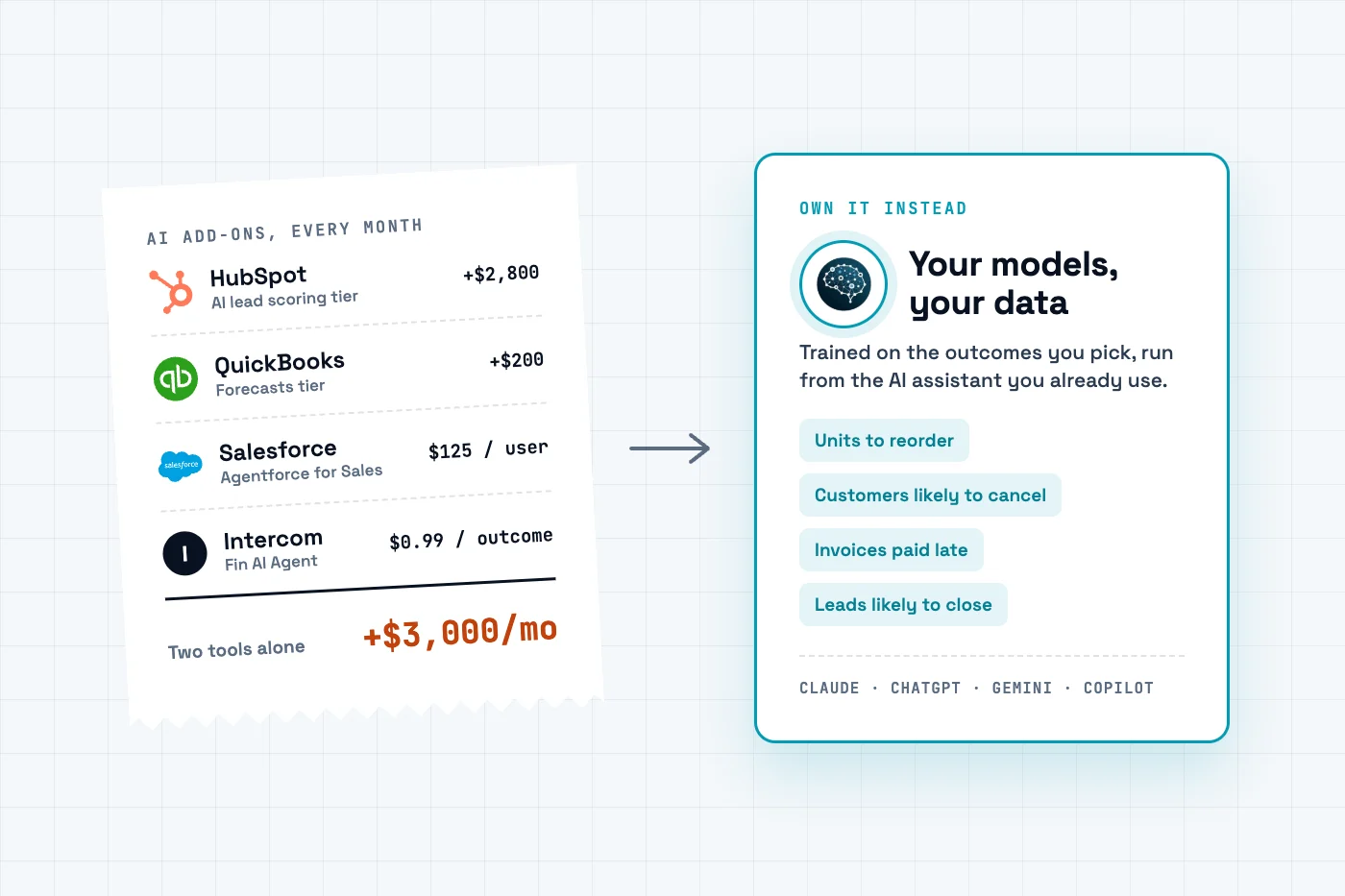
A receipt of monthly AI add-on charges (HubSpot AI lead scoring, QuickBooks Forecasts, Salesforce Agentforce, Intercom Fin) next to a card for your own models, trained on your data and run from Claude, ChatGPT, Gemini or Copilot.

TL;DR

The AI tiers in HubSpot and QuickBooks alone cost $3,000 a month more than the plans below them, and neither tells you what to reorder. Connect the same data to the AI assistant you already pay for and train your own models with a service such as EasyDeploy AI.

Rent it in every tool

HubSpot

HubSpot: AI lead scoring

Which leads convert

$3,600/mo tier

Salesforce

Salesforce: Agentforce for Sales

Inside Salesforce only

from $125/user/mo

QuickBooks

QuickBooks: Forecasts

P&L accounts, not units

$340/mo tier

Intercom: Fin AI Agent

Answers tickets

$0.99 per outcome

Four bills. Each vendor picks what to predict, from its own data only.

Own it

HubSpotSalesforceQuickBooks

the same tools, AI tiers off

Connectors

Your AI assistant

Claude, ChatGPT, Gemini or Copilot, about $20 a month, which you likely already pay

MCP

Your models, trained on your data

EasyDeploy AI, free to start

Units to reorder per product
Customers likely to cancel
Invoices likely paid late
Leads likely to close

One assistant reads every tool. You pick the predictions.

  • Each vendor predicts what it chose, from the data inside its own tool. QuickBooks Online Advanced forecasts your profit and loss accounts, not units per product.
  • Claude, ChatGPT, Gemini and Copilot already read your CRM, books, store and helpdesk through connectors. Add EasyDeploy AI over MCP and the assistant trains a model on the outcome you pick, from one tool or several.
  • Buy the vendor's AI when it has to act inside that tool with no human in the loop, such as a bot answering support tickets.

Where I am coming from

We make EasyDeploy AI, the model-training service in this picture. We do not sell the CRM, the accounting software or the assistant. Every vendor price below is from the vendor's own US pricing page, read on 8 October 2026: HubSpot, Salesforce, QuickBooks, Shopify and Intercom. The steps work the same in Claude, ChatGPT, Gemini, Copilot or any assistant that supports MCP connectors.

To build a custom AI model with your own business data, pick one outcome you already record, such as which customers cancelled or how many units sold, and train a model on the history. You do not need a data scientist, and you do not need the AI tier of every tool that data lives in.

What does it cost to turn on the AI in every tool you use?

US list prices, read on each vendor's pricing page on 8 October 2026. QuickBooks prices are before its three-month introductory discount.
ToolAI featureWhat it costsWhat it predicts
HubSpotAI lead scoring recommendationsMarketing Hub Enterprise, $3,600/mo plus $7,000 onboarding. Professional, $800/mo billed annually, has you type the weights inWhich leads convert
SalesforceAgentforce for SalesFrom $125 per user per month, on top of a Sales Cloud seat from $100Sales predictions, inside Salesforce
QuickBooks OnlineForecastsAdvanced, $340/mo, against $140 for PlusProfit and loss accounts. Not units per product
ShopifySidekickIncluded in every planAn assistant, not a demand forecast
IntercomFin AI Agent$0.99 per outcomeNot a prediction: it answers support conversations

Count only the AI premium in two rows. HubSpot Enterprise over Professional is $2,800 a month, and QuickBooks Advanced over Plus is $200. That is $3,000 a month, $36,000 a year, before onboarding fees or usage charges. Salesforce and Intercom then bill per seat and per conversation, so the cost grows with your team and your customers.

The lead scoring post tested one of these tiers: on 9,240 real leads, a model fitted to the outcomes beat a hand-built HubSpot-style score.

What does each vendor's AI actually predict?

What its vendor chose, from the data inside that one tool. QuickBooks is the clearest case. Forecasts in QuickBooks Online Advanced work account by account from your profit and loss, using an average of past actuals, last year's actuals or a budget. That is a budget. It cannot say how many of each product to reorder, because it never forecasts units. We built that forecast from the same order history.

Shopify's Stocky app, which did forecast demand for purchase orders, is no longer available after 31 August 2026. And no vendor predicts across tools. Whether a customer with three support tickets this month will renew needs the helpdesk and the billing system in one table. Each add-on sees only its own half. An assistant connected to both sees the whole thing.

Do you need RAG, fine-tuning or your own model?

ApproachWhat it doesExample
RAG (retrieval)Lets an assistant search your documents and answer from them"What does our refund policy say?"
Fine-tuning a language modelChanges how a model writes: tone, format, vocabularyReplies in your brand voice
Training a predictive model on a tableLearns an outcome from past rows and scores new onesWhich customers will cancel; units sold next week

Predictions from business data are the third row. Fine-tuning a language model on your CRM does not make it a churn model. A model trained on rows where the outcome is recorded does, and it scores the same record the same way every time. Why your assistant needs a trained model to drive.

What can you predict from your CRM, accounting, store and support data?

Any outcome you have recorded for a few hundred past records can be trained on. You choose which ones.
Data you already havePredictionOutcome column to train on
CRM (HubSpot, Salesforce)Which leads or deals will closeWon or lost
CRM plus billingWhich customers will cancelCancelled within 90 days, yes or no
Accounting (QuickBooks, Xero)Which invoices will be paid latePaid after the due date, yes or no
Store orders (Shopify, QuickBooks sales)How many units of each product to reorderUnits sold next week
Helpdesk (Zendesk, Intercom) plus CRMWhich accounts are at risk after a bad month of ticketsRenewed, yes or no

How does owning your models work with the AI assistant you already use?

Three layers, and you already pay for two. Your tools keep the data. Your assistant reads it through connectors (Settings, then Connectors in Claude, ChatGPT or Gemini). A model-training service such as the EasyDeploy MCP server trains and stores the models. The assistant joins the tables, holds back recent rows it never trains on, trains, and tells you whether the model beats your current rule on those rows before you rely on it.

What it costs: the assistant, about $20 a month, which you likely pay already, and EasyDeploy AI, free for five training runs and 100,000 predictions with no credit card. A model is a snapshot of your history, so once a month ask the assistant to compare last month's predictions with what happened, and retrain when the gap grows.

When is the vendor's built-in AI the right call?

  • It has to act inside the tool with no human. A bot answering tickets at 2 a.m. belongs in the helpdesk, and Intercom prices Fin per resolved conversation for exactly that.
  • You need a budget, not a prediction. QuickBooks Forecasts turn last year's profit and loss into next year's plan with nothing to build.
  • It is already included. Shopify's Sidekick costs nothing extra. Use it before you pay for anything.
  • You will not own the plumbing. A bundled feature has a vendor's support queue behind it. A model you run from your assistant has you.

Own it when the prediction needs data from two tools, when the vendor does not predict what you care about, or when the AI tier costs more than the rest of the plan.

How do you get started with EasyDeploy AI?

  1. Pick one decision. Name the outcome and check it is recorded for a few hundred past records. The readiness guide takes a few minutes.
  2. Connect your data. In your assistant, open Settings, then Connectors, and connect the tools that hold it, or export a CSV.
  3. Connect EasyDeploy AI. Add the EasyDeploy MCP server. The free tier includes five training runs and 100,000 predictions, with no credit card.
  4. Ask. "Train a model that predicts which customers will cancel in the next 90 days, test it on records it never saw, and tell me whether it beats our current rule."
  5. Then decide on the add-on. If your own model does the job, you have your answer before you upgrade a tier.

Create a free account, or book a demo if you would like help with your first model.

Frequently asked questions

How do I build a custom AI model with my own business data?

Pick one outcome you already record, such as which customers cancelled, which invoices were paid late or how many units sold each week. Connect the system that holds it to an AI assistant, or export a CSV with one row per record and the outcome as a column. Train a model on it with a self-serve platform such as EasyDeploy AI, and test it on records it never saw before you act on it. You only need retrieval or fine-tuning if the goal is answering from documents or changing how a language model writes.

Is it cheaper to train my own models than to pay for AI add-ons?

Usually, once you want more than one prediction. On 8 October 2026, HubSpot AI lead scoring needed Marketing Hub Enterprise at $3,600 a month against $800 for Professional, and QuickBooks Forecasts needed Advanced at $340 a month against $140 for Plus. Training your own models on EasyDeploy AI starts free, with five training runs and 100,000 predictions. The add-on is the better buy when the prediction must act inside that tool with no human involved and you do not want to own any of the setup.

What can I predict from my CRM customer history?

Anything the CRM has already recorded an outcome for: which leads convert, which deals close, which customers cancel or renew, who buys a second product, and roughly what each account will spend. Each prediction needs history where the outcome is known, typically a few hundred records. Joining the CRM with billing or support data usually predicts churn better than the CRM alone. A platform such as EasyDeploy AI trains on a CRM export or through a connected assistant.

Do I need RAG or fine-tuning to make predictions from business data?

No. RAG lets an assistant search your documents, and fine-tuning changes how a language model writes. Predicting an outcome such as churn, late payment or next week's demand needs a model trained on a table of past records with that outcome recorded. That model gives the same answer for the same record every time and can be tested on records it never saw.

Which no-code AI platforms can a small business use to build its own models?

Akkio and Obviously AI are self-serve tools for predictions on spreadsheet data. Pecan AI pairs a platform with a vendor team that helps with setup. Google Vertex AI and Amazon SageMaker offer AutoML for teams already on those clouds. EasyDeploy AI trains models from a CSV or from inside Claude, ChatGPT or another assistant through its MCP connector, with a free tier.

Does this work with ChatGPT, Gemini or Copilot as well as Claude?

Yes. Each of them connects to business tools such as HubSpot, QuickBooks or Google Drive through connectors. The EasyDeploy server speaks the Model Context Protocol, so any assistant or client that supports remote MCP servers can train and run models through it. Setup for each client is on the connector page.

Ready to try it on your data?

Book a strategy demo for a walkthrough scoped to your systems, or start free and train a custom model yourself. No credit card required.